Saturday, 31 May 2014

HTC dual OS


Difference between Android and Windows Phone


Key Difference: Android is an open source, free, Linux-based operating system for smartphones and tablets. The system was designed and developed by Android Inc., which was funded and later purchased by Google in 2005. Windows Phone is a series of proprietary software developed and marketed by Microsoft Corporation. Windows Phone is a closed-sourced, which means that it is solely developed by the company and protected by copyright. The company offers a bunch of new features compared to the older Windows Mobile OS.


Smartphones are a recent phenomenon and weren’t always this popular. Prior to the Android vs. iPhone vs. Windows debate, there would only be the Windows palm pilots or pocket PCs that ruled the market. These were also only popular for many businessmen keeping appointments and phone numbers in one place. Then Android was introduced to the market in 2007 and a lot of changes were made bringing technology to the point we are now. While, many people believed that Android was a just a rookie gearing up to fail, not many people saw that it would become one of the most popular smartphone OS in the market. This has also caused many other companies to step up and challenge Android. Windows has recently launched the Windows 8 Mobile systems and is currently a popular OS among Nokia fans. Android and Windows Mobile are two different operating systems that run on phones, smartphones and tablets.
 
Android is an open source software, which means that the code is freely available under the Apache License for modification and distribution by device manufacturers, wireless carriers and enthusiast developers. Android was first unveiled in 2007 and the first phone running on Android, HTC Dream, was sold in October 2008. As the Android is open source software, manufacturers can modify the operating system to suit their respective needs and phones. This becomes a cheap and feasible alternative for the manufacturer, as opposed to developing an operating system in-house or hiring a software company to do it.

Among the number of various companies, Google has also launched its own line of smartphones based on Android, called the Google Nexus. Each device in the Nexus line is produced via collaboration between Google and a leading original equipment manufacturer (OEM) partner. Traditionally, each new Nexus phone is launched with a new version of Android and provides the unadulterated Android experience.

Furthermore, as many manufacturers are running Android on their phones as well as the added benefit of Android being open source, many developers can develop content, apps and games for Android. The content, apps and games are then available in Google Play, the Android App Market, many at times freely.  Hence, developers get to showcase their talent on a widespread forum, and the availability of numerous and free apps and games, make Android popular for consumers.

Another popular feature of Android is the number of apps and the Google Play. Google Play, formerly known as the Android Market is an application distribution platform, where developers publish applications for the many Android users. The applications are also developed by an open community and many of them are free for downloading through Google Play. Android is also popular because of constant and frequents updates that are available by Google. Google releases major updates every six to nine months, with minor updates much faster. The latest Google update was the 4.2.2 Jelly Bean, which is Google’s 17th update since the launch of Android.
 
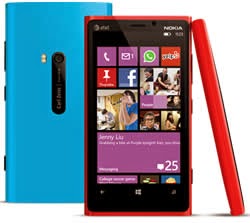
Windows Phone is a series of proprietary software developed and marketed by Microsoft Corporation. The software is the successor to the original Windows Mobile platform but it does not support it as the older platform has been discontinued. It is aimed at the consumer phone market rather than the enterprise market. The system was launched in October of 2012 and the company announced the software at the Mobile World Congress in February 2010. Microsoft released an updated version of Windows Phone 7 and showcased features such as: Internet Explorer 9, multi-tasking of third party apps, Twitter integration, Windows Live and Skydrive access. The latest release is the Windows Phone 8, which offers the new Live Tiles is currently being offered on the new Nokia Lumia series.

Windows Phone is a closed-sourced, which means that it is solely developed by the company and protected by copyright. The system offers new features such as: a whole new interface, text input by an on-screen virtual keyboard, threads messaging, Internet Explorer browser, organized contacts via People Hub, Email access (support for Outlook.com, Exchange, Yahoo! Mail, and Gmail), Xbox Music, Xbox Videos, Xbox Video Store, Games Hub, Bing Search Engine, Bing Maps, Voice recognition function, turn-by-turn navigation, Office Suite (Microsoft Office Mobile), Multitasking capability, syncing capability with Zune software, Windows Phone App and Windows Phone Store. The Windows Store is limited as there only a few number of apps. The company has yet to populate the store with the number of apps that is available on Apple Market or Google Play

Android
Windows Phone
Company/ Developer
Google
Microsoft
Programmed in
Java, C, C++
C, C++
OS family
Unix-like
Windows
Initial release
September 23, 2008
October 21, 2010
Supported platforms
ARM, MIPS, x86, I.MX
x86
License
Apache License 2.0
Linux kernel patches under GNU GPL v2
Commercial proprietary software
Default user interface
Graphical (Multi-touch)
Graphical (Metro UI)
Working state
Current
Current
Source model
Open source software
Closed-source
Updates
Updates are provided by different parties in the consortium.
Updates are only done by Microsoft.
Applications
Applications are created by an open community of developers.
Applications are created by tie up companies and Microsoft.
Touch style
Capacitive technology
Offers native support for
Google Sync for Gmail, Contacts, and Google Calendar.
Mail, Exchange, Outlook Contacts, Calendar, Windows Market, etc.
Number of applications
Over 700,000 applications
Limited number of applications.
Language support
Multiple language support

Monday, 26 May 2014

What is 3G, 4G, and LTE?

If you own a smartphone, you undoubtedly have heard the terms 3G, 4G, and LTE. Cellular providers such as AT&T and Verizon continuously advertise they have biggest or fastest 4G network or LTE network. It’s difficult to understand how each company can make those claims. However, when buying a new smartphone, it is important to understand the difference. The type of data network can directly impact the performance of your smartphone.

When you buy a smartphone, you are typically required to sign up for a service plan that defines a certain amount of calling minutes and data usage. Once connected to the cellular provider’s network, the smartphone can communicate with the outside world to support features such as email, maps, and Internet browsing. Many of the smartphone apps rely on sending and receiving data across the network.

When describing smartphone data networks, you commonly hear the terms 3G, 4G, and LTE. This refers to the generation of network technology.  The third generation network, known as 3G, is the oldest technology of the group. 4G is the fourth generation data network and LTE stands for Long Term Evolution. The basic difference between them is the speed of the network. When selecting a smartphone, the older models may not support the newer data network technology. It is important to select a model that supports a data speed appropriate for your needs.

3G Network

The 3G network was the first technology with sufficient speed to provide a decent user experience on a smartphone.  There were some smartphones that used the older 2G EDGE technology, but the data speeds were slow and the user spent a lot of time waiting for data to load.

Each of the major cellular providers have 3G networks that provide coverage across most of the country. There are two competing 3G technologies currently being used: Global System for Mobiles (GSM) and Code Division Multiple Access (CDMA). AT&T and T-Mobile use the GSM technology while Verizon and Sprint use the CDMA technology. Since the technologies are not compatible with each other, this is the reason you can’t use a Verizon phone on an AT&T network (or vice versa).

4G and LTE


The 4G technology is the successor to the 3G technology. Cellular providers are still building out their 4G networks. Theoretically, 4G is much faster than 3G. But before we start comparing 4G speed to 3G speed, it is important to understand there are different versions of 4G.

When talking about 4G, things can get a little confusing. Basically, there is 4G and 4G LTE.  Many people consider LTE to be true 4G technology. Generally, if a cellular provider describes a 4G network without mentioning LTE, they are probably talking about a High Speed Packet Access (HSPA) network. The HSPA network is a faster version of the 3G GSM network. While not as fast as an LTE network, it is still faster than a 3G network. Since LTE is still relatively new, the cellular providers haven’t fully built out their LTE networks yet. Be careful when looking at the network coverage maps on the providers’ websites. Some companies claim to have broad nationwide 4G coverage.  They may really be taking about HSPA coverage and not LTE coverage.

In theory, LTE can be up to ten times faster than 3G. In practice, the actual network speed will vary based on network load and signal strength. Even if LTE does not meet its theoretical speed, it is still much faster than 3G. Activities that require large amounts of data, such as streaming movies, work very well on an LTE network. If you plan to perform a lot of data-hungry activities or simply want the best performance when surfing the Internet, you should really plan on buying a smartphone that supports LTE.

If you are considering buying an iPhone, you will find three models available: iPhone 5, iPhone 4S, and the iPhone 4. The iPhone 4S and the iPhone 4 are sold at reduced prices because they are older models. The iPhone 5 is the newest model and supports LTE. The iPhone 4S supports HSPA, which some cellular carriers call 4G. The iPhone 4 will only support 3G networks.

UPDATE – September 2013: The currently available iPhone models are the 5S, 5C, and 4S. The 5S and 5C support LTE while the 4S supports 3G.


When buying a new smartphone, don’t be fooled by all the marketing hype about 4G and LTE networks. Understand the different network technologies available and try using the Internet on the smartphone before you buy. The LTE technology provides the fastest cellular data network available and the speed difference between LTE, 4G (HSPA), and 3G can be quite noticeable.

WI-FI Compabilities


Saturday, 24 May 2014

10 Must Have Android Apps for Students to Survive College

Smartphones are so smart that they can help us in almost all of our jobs. They can help you in kitchen, in your business, entertainment, relax, to connect with your friend and what not.

There are a lot of smartphone app which can help you in your studies. They make your studies easier, simpler and interesting. We have collected 11 such Android apps which are most important for any student. They can help you in making projects, in calculations, interviews, preparations and many other things.


1. Evernote


With Evernote you can create to-do lists, task lists, schedules so that you don’t forget them. Create notes on Evernote on any subject. You can also edit your notes or lists. With Evernote, you can not only keep your notes and lists on your phone but can also sync them across all other devices so that they are available to you everywhere.

This app is available for both Android and iOS. It has good social media integration. Share your notes with your friends. You can also make sketches in your notes or work in your own handwriting, it is so simple with Evernote. You can add images and even search for text inside images.

2. Dropbox


Dropbox is an extremely important app for students. You can keep your documents, notes, files, classroom presentations etc in cloud storage for free. Sync it with all other device and access them from anywhere.

You can also open your email attachments in Dropbox or mail a file from Dropbox to your friends. It is easy to edit documents right at your Dropbox. This app is very secure so your documents are safe here

3. Wolfram Alpha


Wolfram Alpha has become world’s definitive source for instant expert knowledge and computation. It uses a vast collection of algorithms and data to compute answers and generate reports for you. It collects data from almost all emerging domains in the world

.4. Dictionary.com

This is one of the most famous dictionary app for Android. It has got wide popularity and over several million downloads. It’s a full dictionary and thesaurus with over 2,000,000 definitions, synonyms & antonyms.

You will find all types of proverbs, idioms & phrases in it. Whenever you search a word in it, you will get the basic meaning along with its pronunciation, word origin and history.

5. StudyBlue Flashcards (Free)


It is a free service that tracks study session progress and more. They allow you to study and explore more. Make, edit and save content and access an enormous library of classmate-created materials. Study wherever and whenever you want.

You can create your own flashcards by inserting text, pictures and audio. Find online flashcards and notes from millions of classmate-created materials. It allows you to send messages to your classmates to ask questions or doubts. You need a StudyBlue.com account to use this app.

6. RealCalc Scientific Calculator (Free)


It is a fully featured scientific calculator developed by Quartic Software. This special scientific calculator has all the traditional and modern calculating tools.

It allows unit conversions, Binary, octal, and hexadecimal along with calculations with a full built-in help system. It has 10 memories to store your inputs. Also, it can save your history

7. Scribd – Read unlimited Books


Scribd is world’s largest digital library with a vast collection of books and magazines. It is a very important app for students. You can get unlimited access to over 100,000 books with $8.99/month.

You will find a good collection of books under all domains, best sellers, genres, literary classics, fiction etc. There are millions of user-contributed documents and written books. Interesting thing is that it gets synced with all your devices so access your books from anywhere.

8. Flipboard


Flipboard is your personal news and updates magazine. It is fully customizable. You can get updates on the topics and areas you want. Save stories that you like in your magazine. It is a good app for students to stay up to date with latest updates and trending topics.

Flipboard has good social media integration. You can connect with up to 12 social media networks on Flipboard. For quicker access to the app, it comes with an Android widget. It allows you to search for anything like people, live scores or matches, trending topics, blogs, your favorite sites etc.


9. Skype


Skype provides you the facility of free voice and video calls. It has free instant messaging interface also. Stay connected with your friends and family.

More and more people are getting connected with Skype daily. You just need to know a person’s Skype id to connect with them. Skype also provides low costs mobile and landline calls. Share your photos with your friends and group members. It also has video messaging feature. Just shoot video of life moments and share them with your friends.


10. Self Control


Self Control helps you in studying by helping you to reduce intemperate use of your smartphone. Smartphones affect our studies as we are so much addicted to see the notifications, updates, messages, playing games etc on smartphone.

For a specified period of time the execution of apps banned in order to help to focus a little more. When you execute Apps for a specified period of time, phone screen will switch to studying time display automatically.


11. Sleep if U can Alarmy


It is the most annoying alarm app in the world. When the alarm starts ringing then you have to go to the registered place and take a picture to stop the alarm.

It is a good solution for those students who find it very difficult to get up at time even with an alarm clock. This app will surely get you out of your bed.


If you think we missed any other important app then please let us know in the comments.